Collection Entry
A collection entry is a single scraping task that lives inside a collection. It points at a source URL, optionally runs on a schedule, and can notify one or more webhook destinations when it refreshes.
Fields
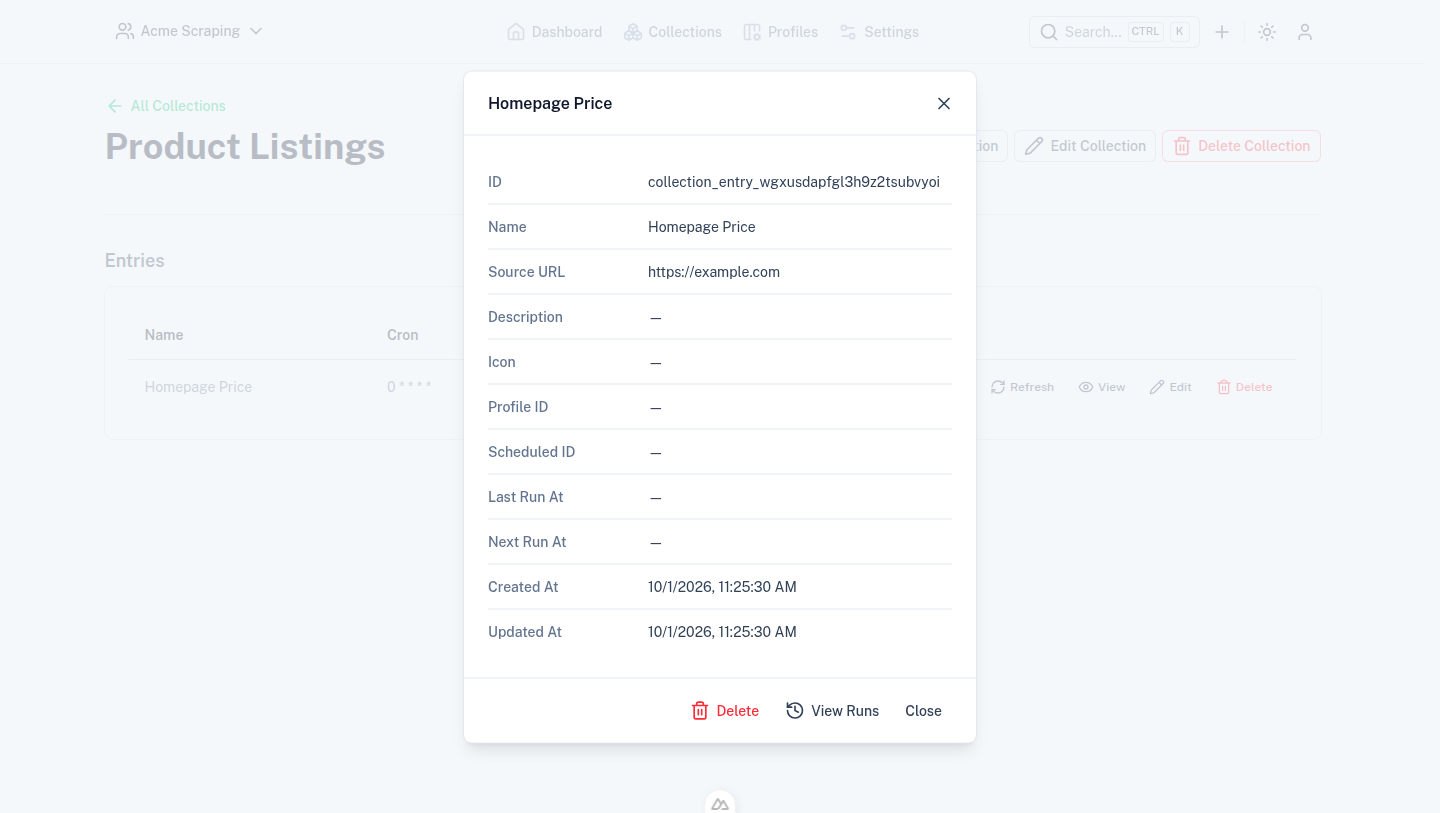
- Name — required, shown in the entries table.
- Source URL — required, the page the entry's profile scrapes.
- Profile — an optional profile used to extract data from the source URL. Falls back to the parent collection's profile if not set.
- Description / Icon — optional, same as on collections.
- Cron expression — an optional cron expression that schedules automatic refreshes via the coordinator.
- Active — whether the entry's schedule is enabled.
- Destinations — webhook destinations notified when the entry's data refreshes, validated against
zWebhookDestinationfrom@scrape-admin/schema.
Viewing an entry
Opening an entry (the View action in a collection's entries table) shows its extracted data, its lastRunAt
timestamp, and its configured destinations.
Runs
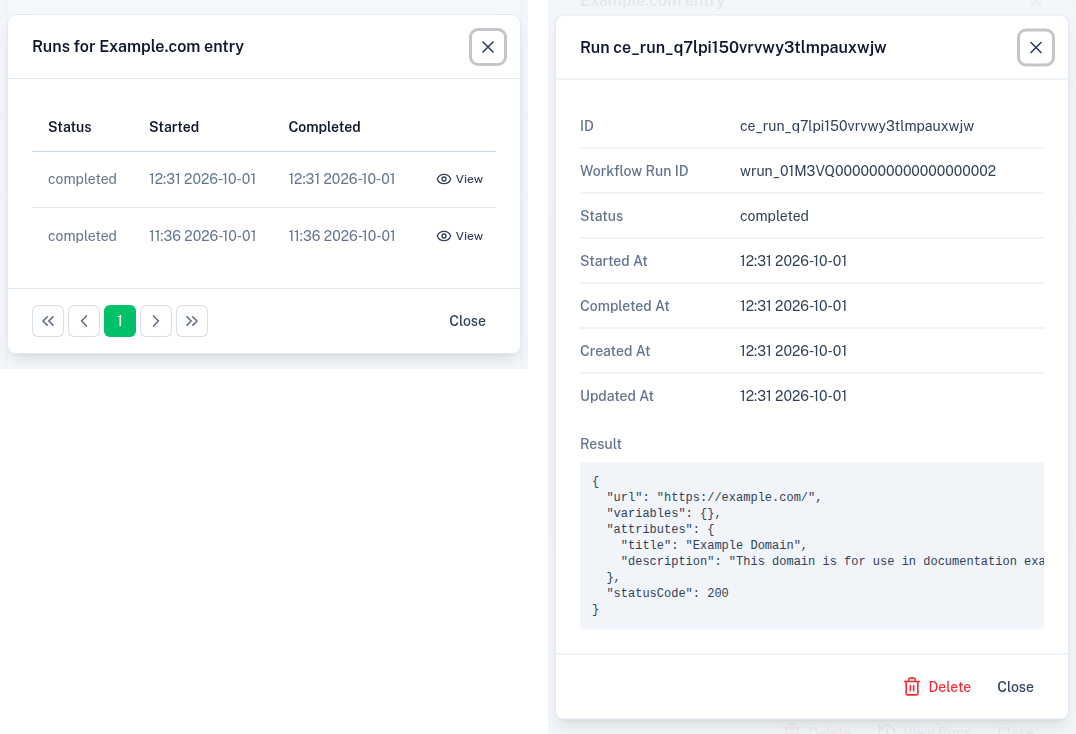
Each time an entry is refreshed — manually or on its cron schedule — it produces a run. Runs record when the entry was last executed and are used to drive the entries table's Last/Next Run column; the Refresh action triggers a run on demand.
From the entry view modal, View Runs opens a paginated table of the entry's run history (status, startedAt,
completedAt). Selecting View on a run opens its details: the underlying workflow run ID, timestamps, and the
same result payload shown on the entry itself, captured at the time that run completed.